


Page 48 - Peterson 85 Years And Going Strong
P. 48
IT Service Group manager. “Instead, they can fo-
cus on what their customers need and spend their
time working on their equipment.” One of the
first things the new group did was build a backup
library of all the technicians’ computers. “Now if
someone’s computer breaks, we can re-image and
replace it so their downtime is minutes instead of
days.” They also created a basic template of the
three software set-ups techs use across the com-
pany—for Tractor, Power, Truck—to have on hand
if a replacement is needed or a new tech comes on
board.
Back in 2010, even before the new service group
was formed, IT introduced a remote-access pro-
gram. “Bomgar is an application we use to remote
into people’s computers. They can be anywhere as
long as they’re online,” says Diaz. “Anywhere. Any-
time. Anybody in the company. This is one of the
greatest remote-access programs I’ve seen in my
life, and I’ve used many. It’s stable. It’s straight-for-
ward and easy to use. And it’s paying off because
it helps us take care of our customers and techni-
cians.”
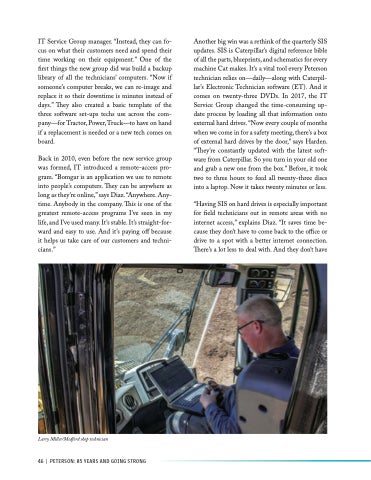
Larry Miller/Medford shop technician
46 | PETERSON: 85 YEARS AND GOING STRONG
Another big win was a rethink of the quarterly SIS
updates. SIS is Caterpillar’s digital reference bible
of all the parts, blueprints, and schematics for every
machine Cat makes. It’s a vital tool every Peterson
technician relies on—daily—along with Caterpil-
lar’s Electronic Technician software (ET). And it
comes on twenty-three DVDs. In 2017, the IT
Service Group changed the time-consuming up-
date process by loading all that information onto
external hard drives. “Now every couple of months
when we come in for a safety meeting, there’s a box
of external hard drives by the door,” says Harden.
“They’re constantly updated with the latest soft-
ware from Caterpillar. So you turn in your old one
and grab a new one from the box.” Before, it took
two to three hours to feed all twenty-three discs
into a laptop. Now it takes twenty minutes or less.
“Having SIS on hard drives is especially important
for field technicians out in remote areas with no
internet access,” explains Diaz. “It saves time be-
cause they don’t have to come back to the office or
drive to a spot with a better internet connection.
There’s a lot less to deal with. And they don’t have


